
WCAG Accessibility 2: Fixing WordPress Accessibility Issues (Elementor & Jupiter X)
In our previous post, we conducted a comprehensive accessibility audit of the Rainbows Ireland website using WAVE and manual testing.
In this post, we take a closer look at the specific accessibility issues identified during that audit and how they impact usability.
Read WCAG Accessibility 1: Auditing a WordPress Website
Following the initial WordPress accessibility audit of the Rainbows Ireland website, the next step was to work through the issues highlighted by WAVE and Google Lighthouse and determine which problems were real, which were theme-related, and which were being introduced by third-party plugins.
This stage of the project showed very quickly that accessibility fixes are rarely about changing one heading colour and moving on. In practice, the real issue may sit elsewhere in the DOM, inside a hidden popup, inside a cookie banner, or inside theme-generated navigation markup.
In this article, we look at how the main accessibility issues on the Rainbows Ireland website were identified and resolved using Elementor, Jupiter X, JetPopup, and Complianz.
Initial Audit Results
Before any fixes were made, the Rainbows Ireland homepage returned a Lighthouse accessibility score of 92. That looked respectable at first glance, but it did not tell the full story.
WAVE provided a more detailed view and highlighted multiple issues, including low contrast text, empty links, missing form labels, and heading structure problems. This was a useful reminder that a visually polished WordPress site can still contain a significant number of accessibility issues behind the scenes.
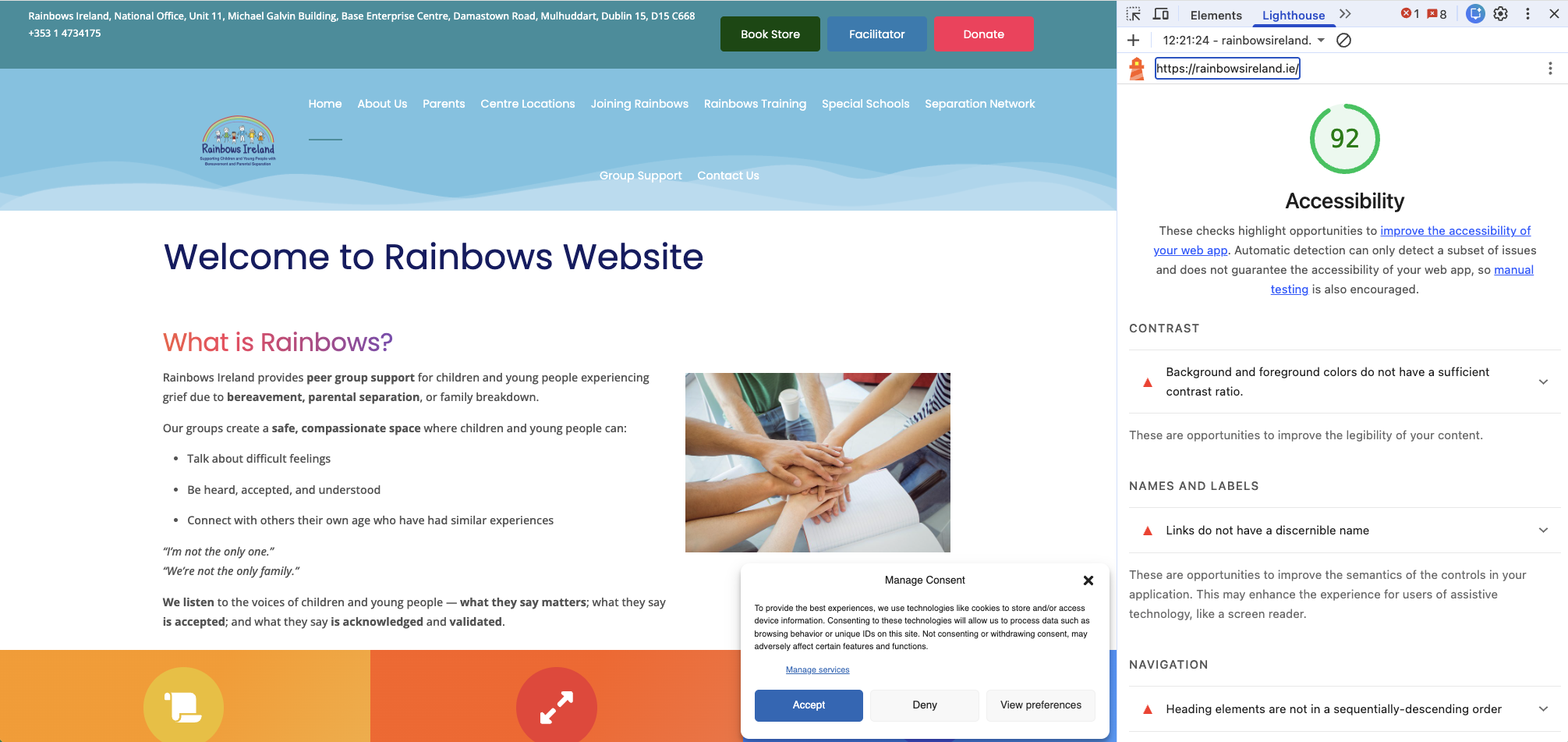
Figure 1: Initial Lighthouse accessibility score for the Rainbows Ireland homepage before remediation.
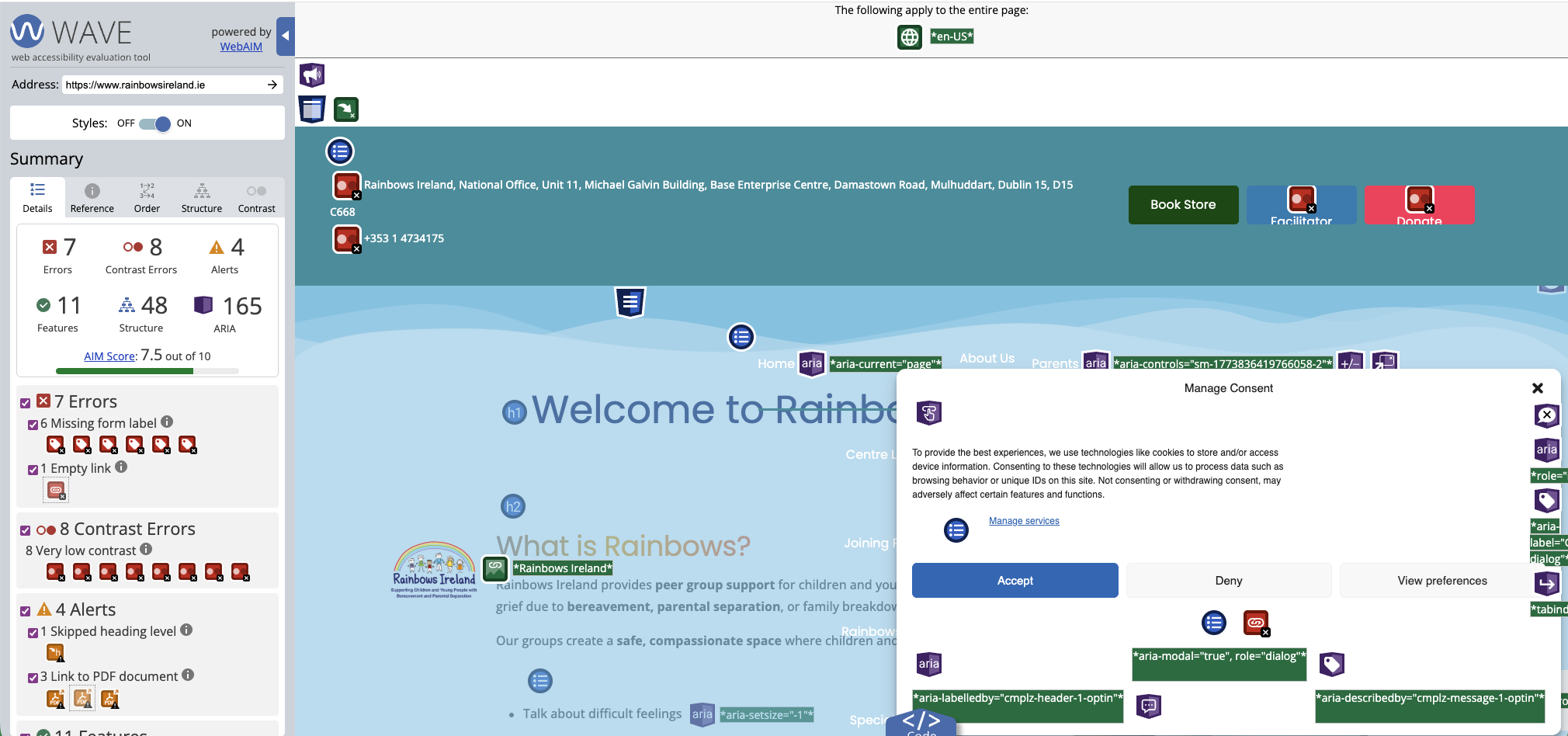
Figure 2: Initial WAVE audit showing multiple accessibility issues on the homepage before remediation.
Starting with the Footer Issues
The first clear cluster of issues appeared in the footer area. Although footer content is often treated as secondary, it still needs to be readable and accessible, particularly where it contains contact details, working hours, and supporting information.
In the Rainbows Ireland footer, WAVE highlighted a number of accessibility problems in this section. These included contrast issues in the supporting text and structural warnings in the footer content.
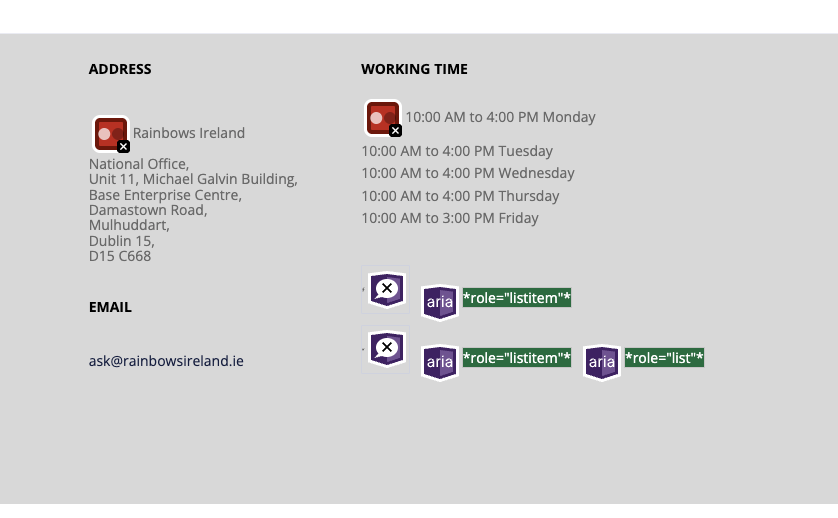
Figure 3: WAVE identifying low contrast issues in footer contact details and supporting content.
Once the problem area was clear, the next step was to identify where the footer was actually being controlled. Because the site used Jupiter X, this meant checking the reusable footer template rather than only editing content on the page itself.
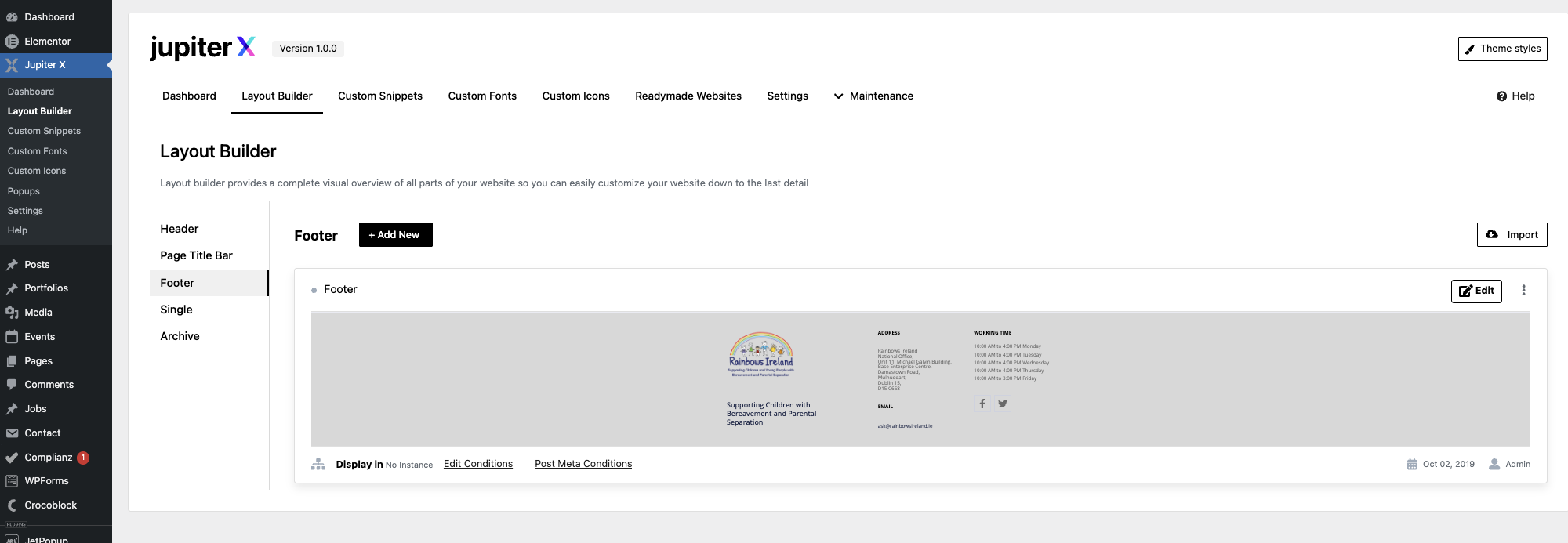
Figure 4: Jupiter X Layout Builder showing the reusable footer template where the accessibility issue is controlled.
Within the footer template, the main improvement was to darken text that had been set too lightly against the grey background. This is a common issue on WordPress sites where secondary text is styled to look subtle, but ends up failing accessibility contrast requirements.
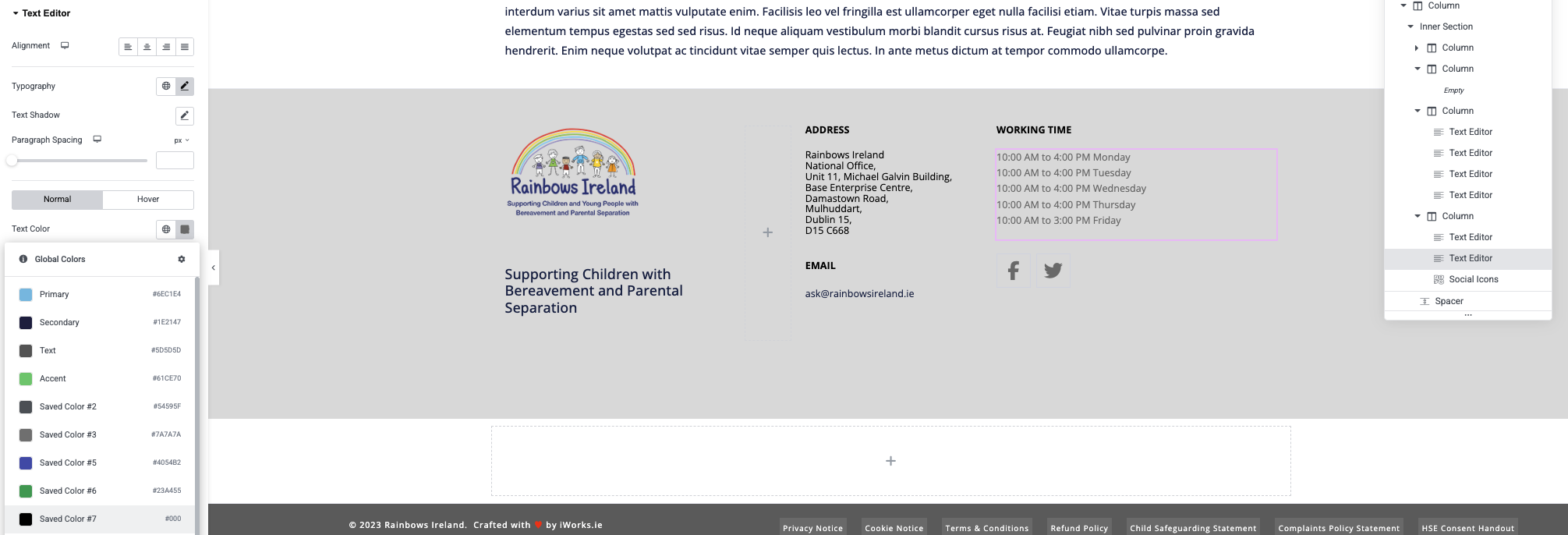
Figure 5: Footer content updated with darker text to improve contrast and readability.
After the text colour changes were applied, the footer was checked again in WAVE. This confirmed that the footer-related contrast issue had been successfully resolved.
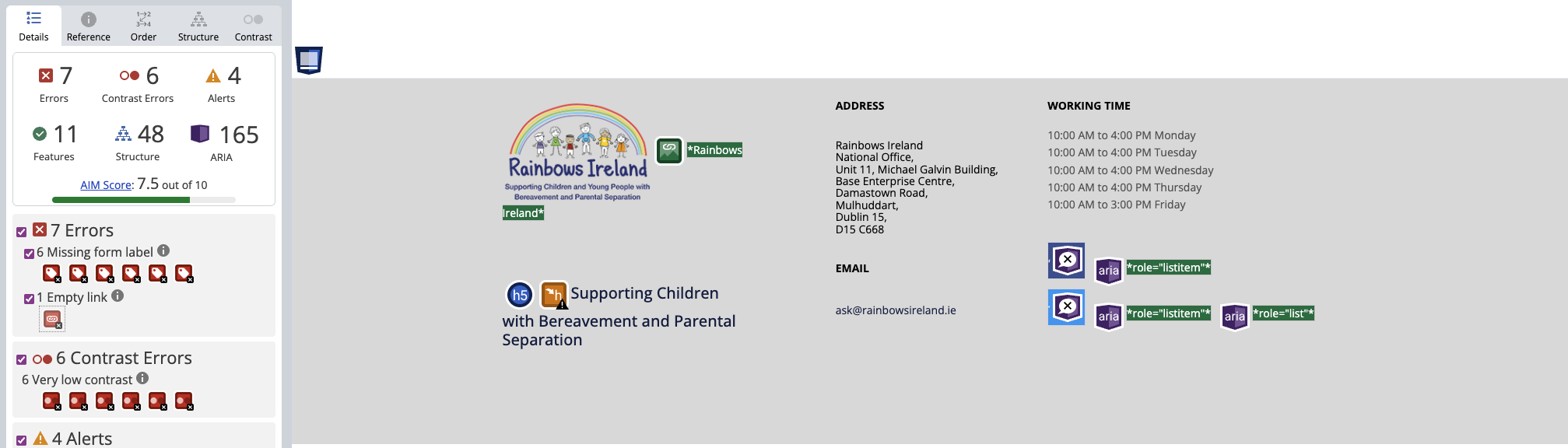
Figure 6: WAVE confirming that footer contrast issues have been successfully resolved.
Investigating the Remaining Issues
With the footer issue fixed, the next step was to continue working through the remaining accessibility problems elsewhere on the site. WAVE still reported multiple issues, including hidden content and form-related errors, so the process moved from visible content fixes into deeper DOM inspection.

Figure 7: WAVE showing that additional accessibility issues still remained after the footer contrast fix had been completed.
One of the most significant discoveries at this point was that hidden login and job application forms were being loaded into the homepage markup. Although these forms were not meant to be visible as part of the page content, WAVE still detected them because they were present in the DOM.
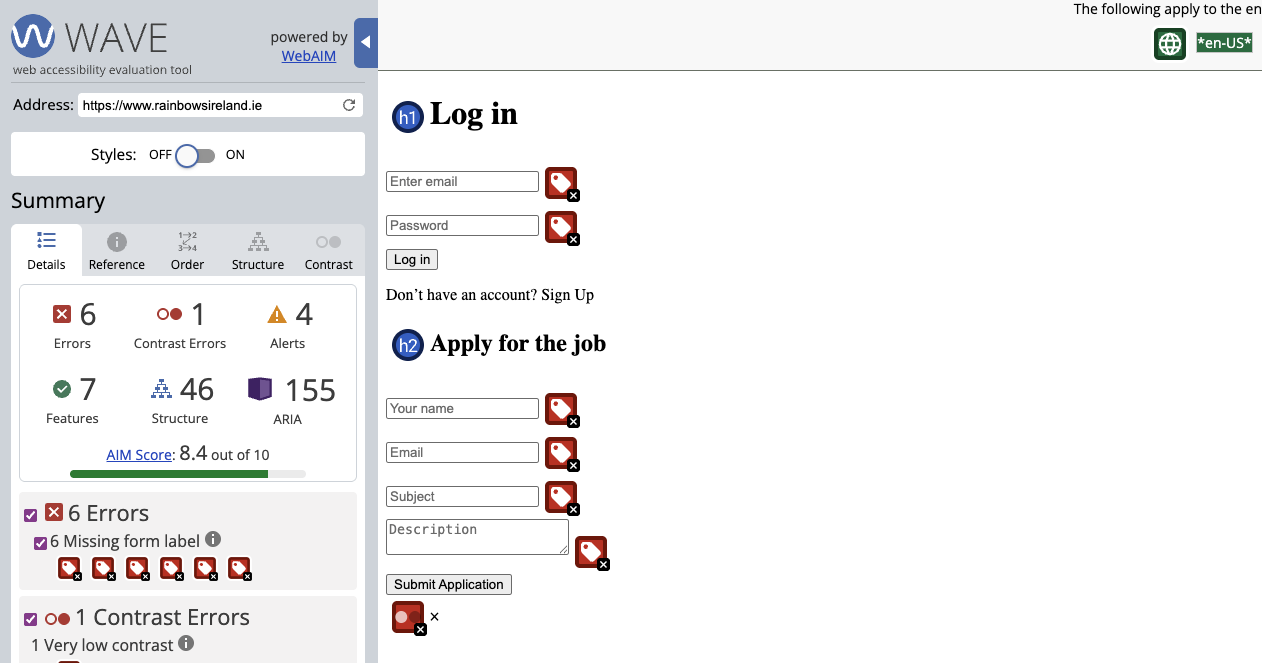
Figure 8: WAVE identifying missing form labels within hidden popup forms injected into the page.
Inspecting the code confirmed that the source of these hidden form issues was popup markup rather than visible page content. This was a crucial distinction, because the correct solution was not to patch each field manually on the homepage but to review how the popups were being injected in the first place.
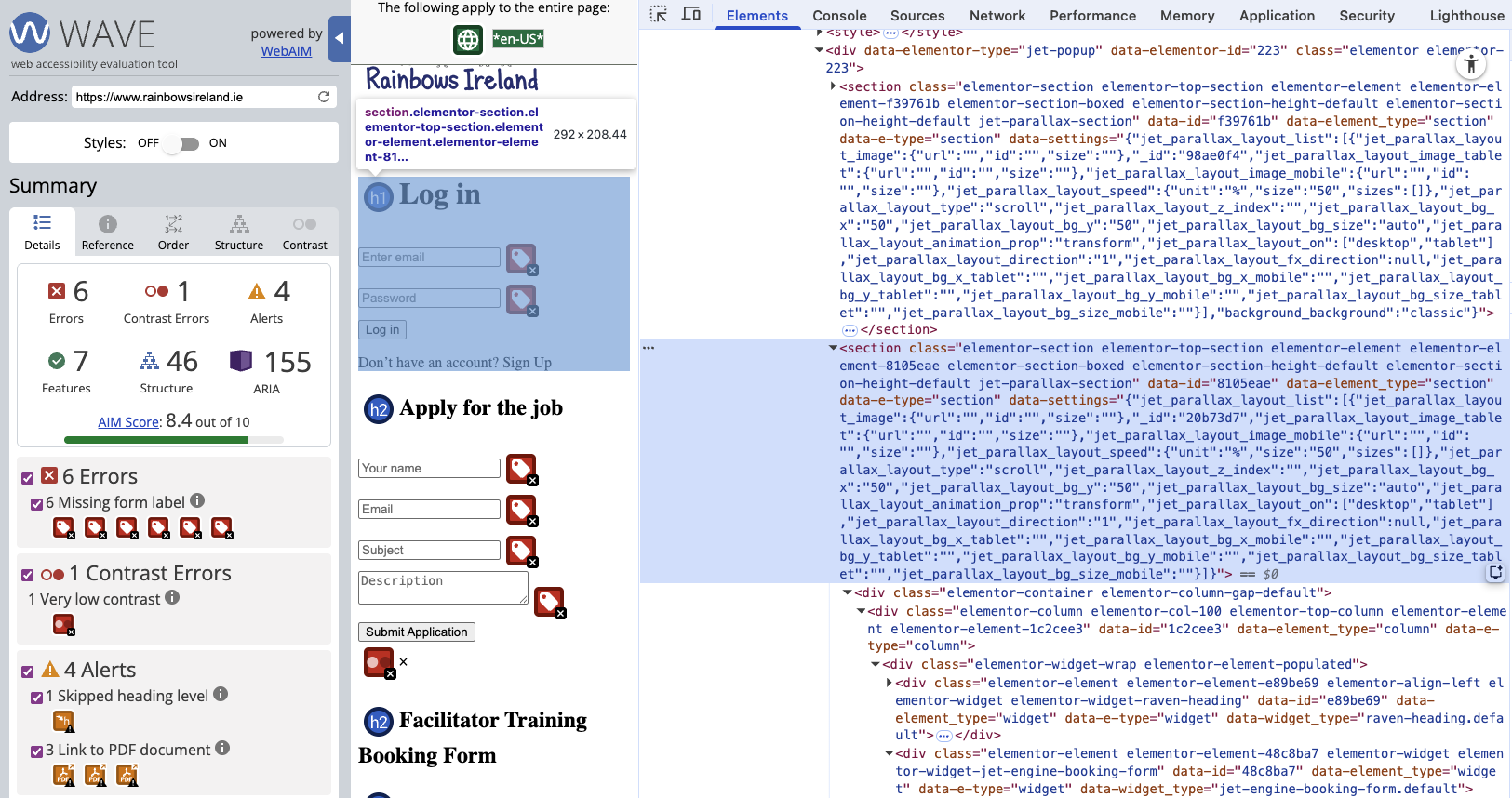
Figure 9: Developer tools revealing hidden popup markup present in the DOM despite not being visible on screen.
That led to JetPopup, where the site-wide popup configuration could be reviewed directly. The login and job application popups had been attached broadly enough that they were contributing accessibility noise to the homepage even when not actively in use.
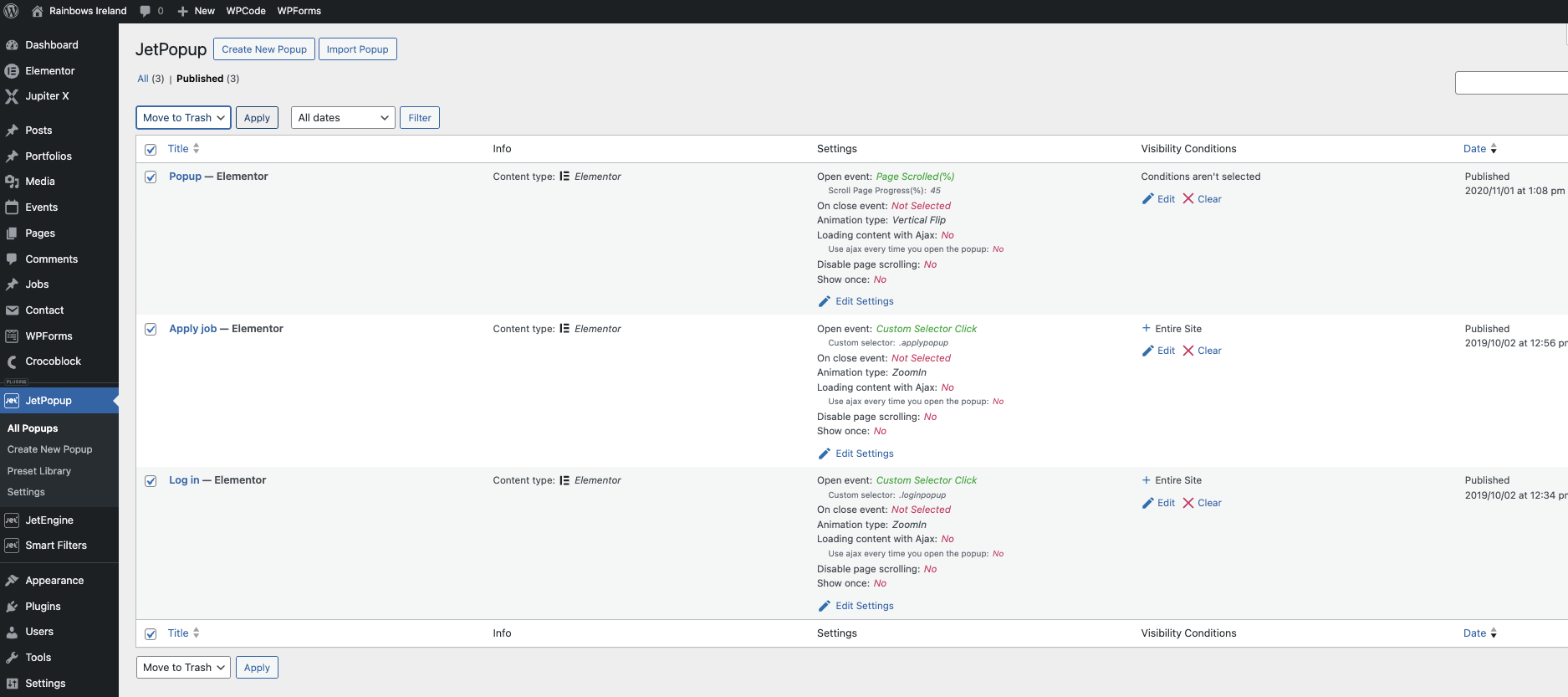
Figure 10: JetPopup configuration showing how login and job popups were attached site-wide and affecting accessibility results.
Tracing the Last Contrast Issue
As the major errors were reduced, one remaining contrast issue still needed to be traced accurately. At this point it was important not to assume the visible text on screen was the source. Instead, WAVE and the browser inspector had to be used together to identify the exact element being flagged.
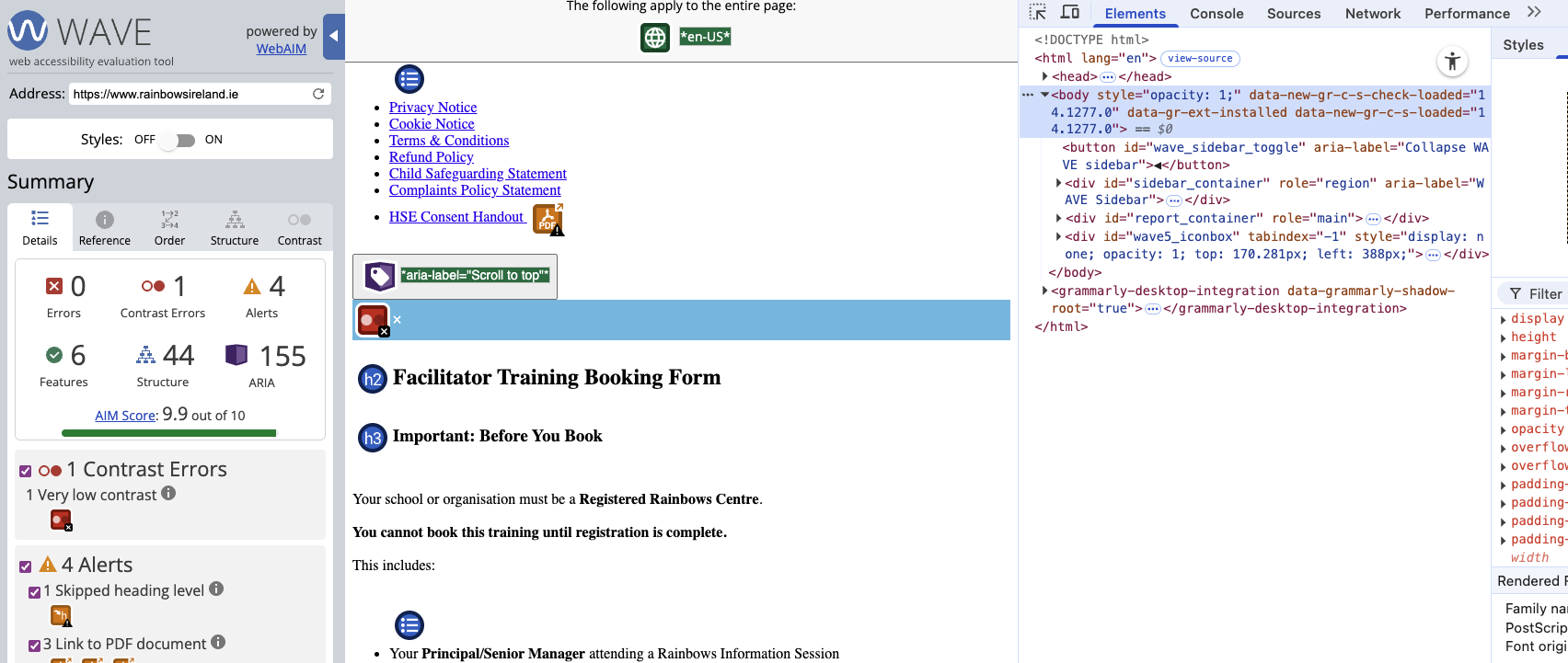
Figure 11: WAVE and developer tools used together to trace a remaining contrast issue to a specific element in the DOM.
During that process, it became clear that some highlighted contrast warnings were linked to overlay behaviour and inspection context rather than to the obvious content area that initially seemed most likely. This reinforced the need to verify every issue by checking the underlying HTML.
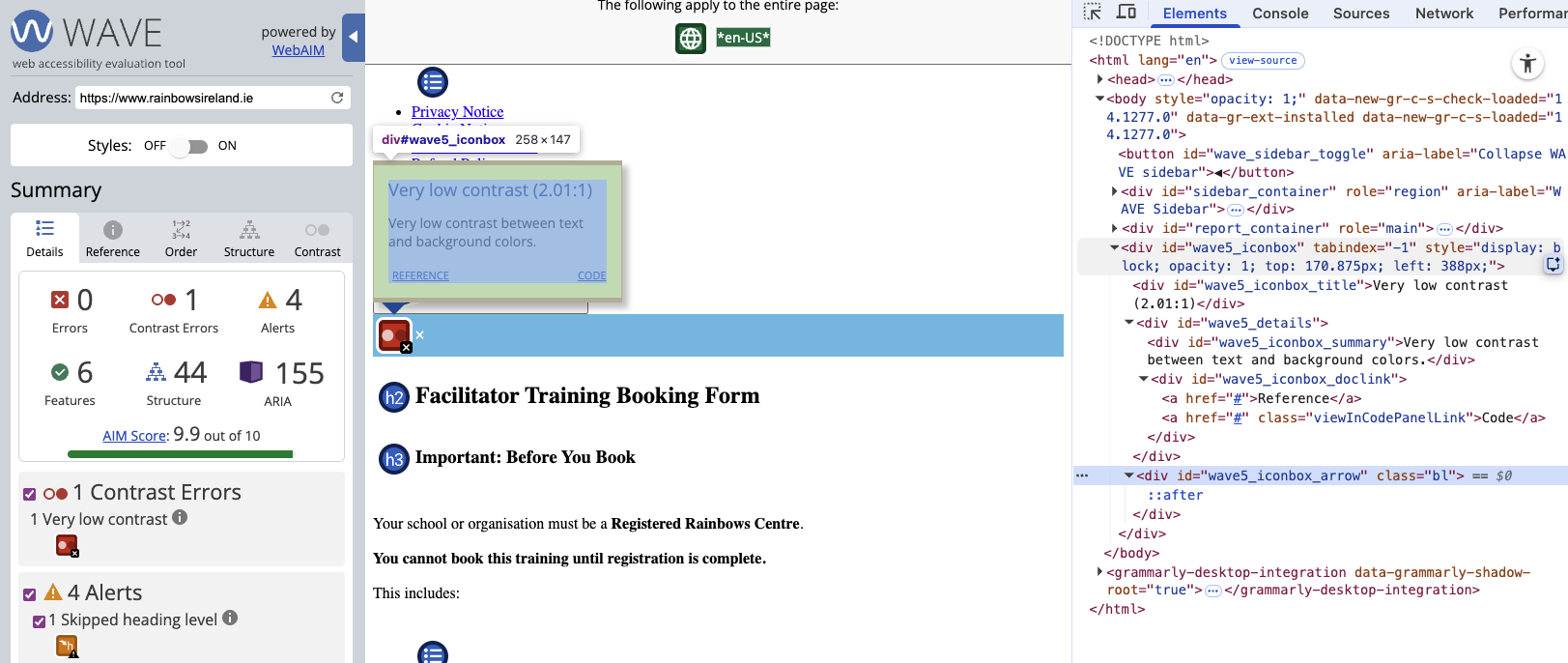
Figure 12: Developer tools used during contrast investigation, helping to separate visible content from overlay or plugin-related markup.
The exact source of one of the remaining contrast issues turned out to be a popup close button. The close icon was using white on a light blue background, producing a poor contrast ratio. Once the class was identified, that was a straightforward theme-level styling fix.
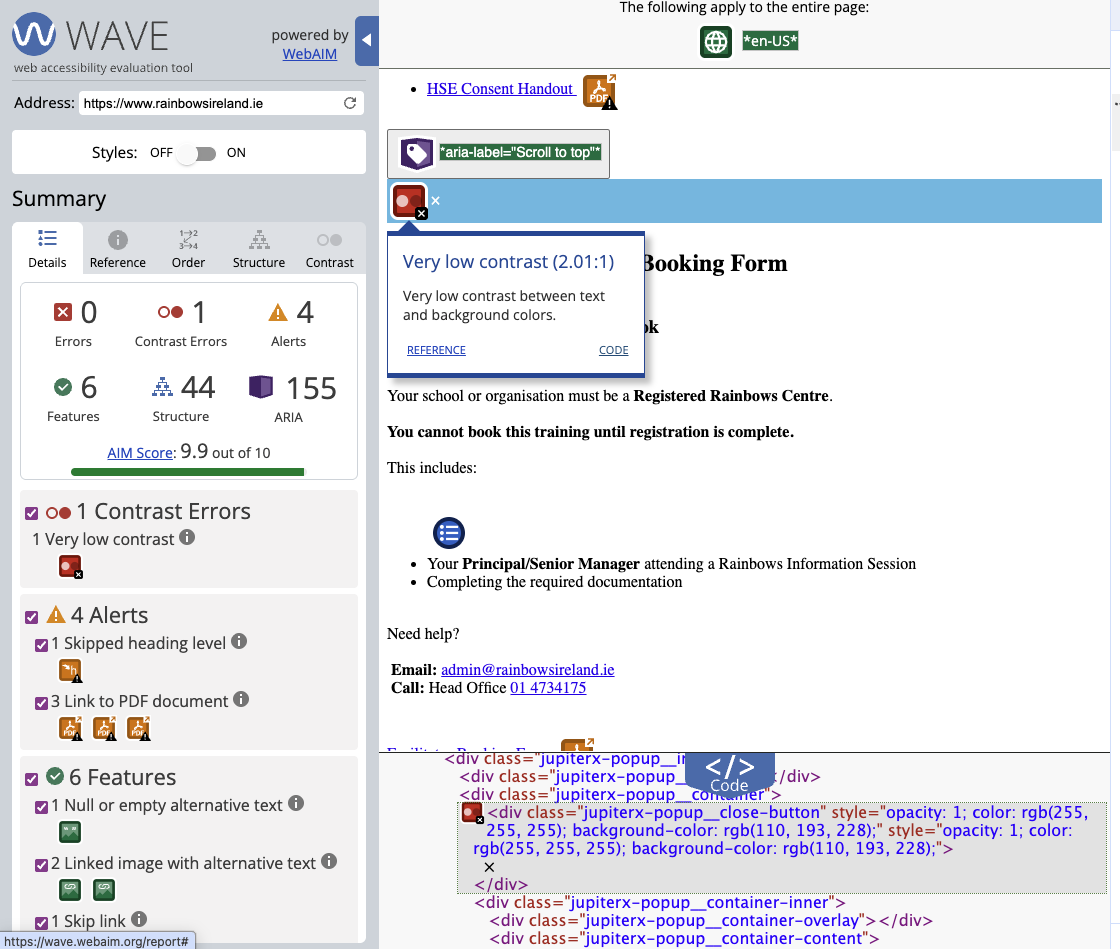
Figure 13: Popup close button identified as the source of a contrast failure due to insufficient colour contrast.
Cookie Banner and Theme-Level Issues
Another issue came from the cookie banner and other third-party generated markup. In this case, the accessibility problem was not part of the page content itself, but part of the output created by the privacy plugin. This is a common real-world problem: compliance plugins can still introduce accessibility issues of their own.
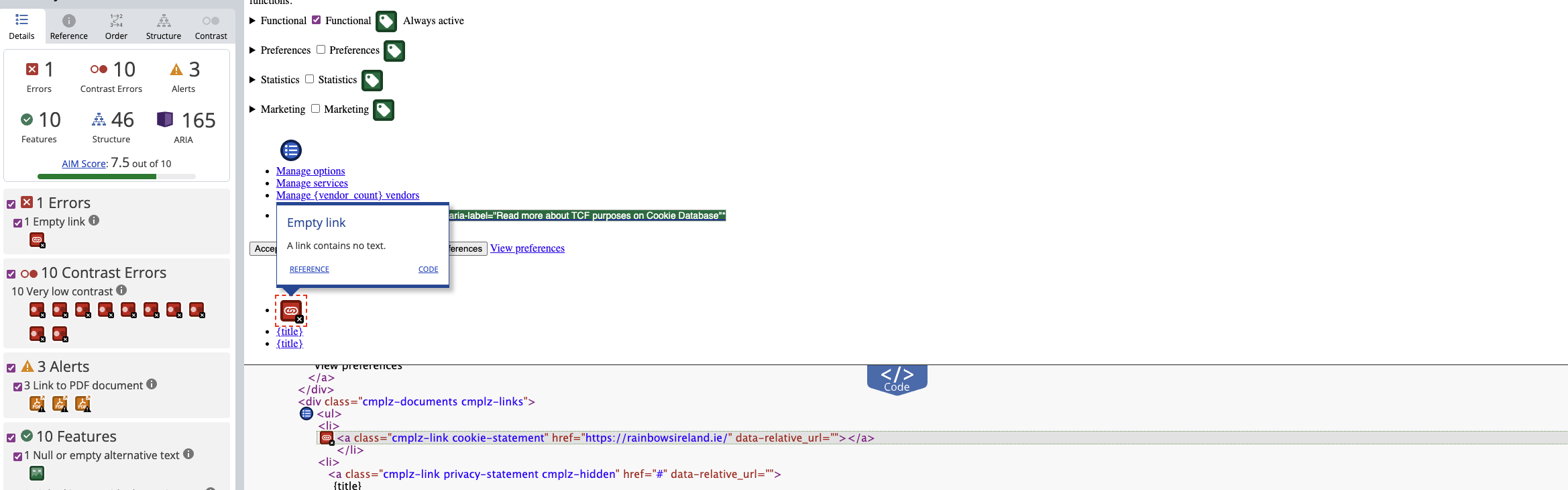
Figure 14: WAVE and code inspection highlighting third-party generated markup that required investigation at plugin level rather than as a content issue.
Theme-level styling also played a part in the remaining fixes. One of the more subtle problems involved the active navigation item, which was being styled by the theme in a way that affected accessibility. This meant the issue could not be solved simply by changing standard Elementor text colours.
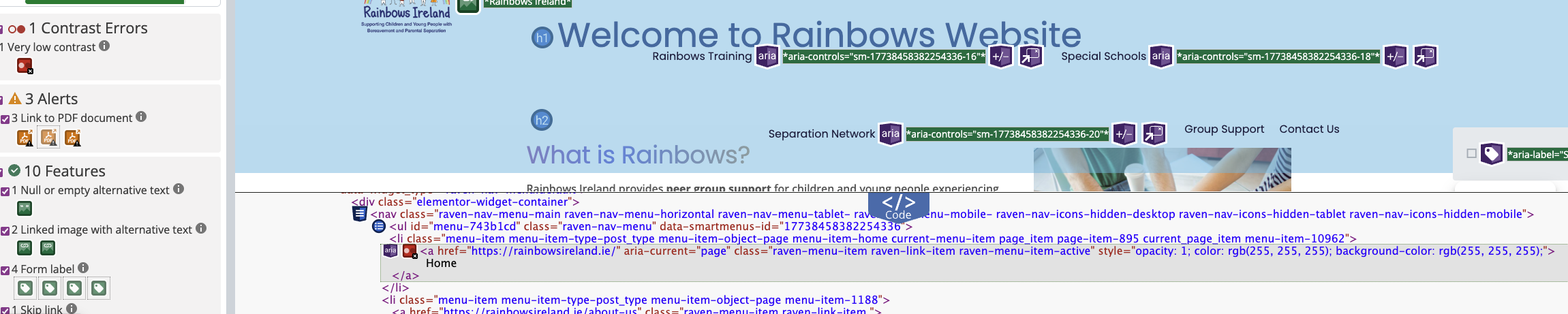
Figure 15: Active navigation styling demonstrating how theme-level overrides can introduce accessibility issues.
What This Process Revealed
One of the most important findings from this process was that accessibility issues are not always linked to visible content. Several of the remaining issues were caused by hidden elements in the DOM, including popup forms and plugin-generated markup.
At various points, issues initially appeared to be related to headings or visible text, but deeper inspection showed that the true source was elsewhere. This included hidden login forms, popup components, and theme-level styling overrides.
This reinforces the importance of using tools such as WAVE alongside browser developer tools to trace accessibility issues back to their true source, rather than relying on visual assumptions alone.
Final Results
After resolving footer contrast issues, removing errors caused by hidden popup forms, addressing plugin-generated markup, and correcting theme-level navigation styling, the Rainbows Ireland homepage reached a significantly improved accessibility standard.
The final result was a Lighthouse accessibility score of 100 and a WAVE score of 9.9 out of 10, with all critical accessibility issues resolved.
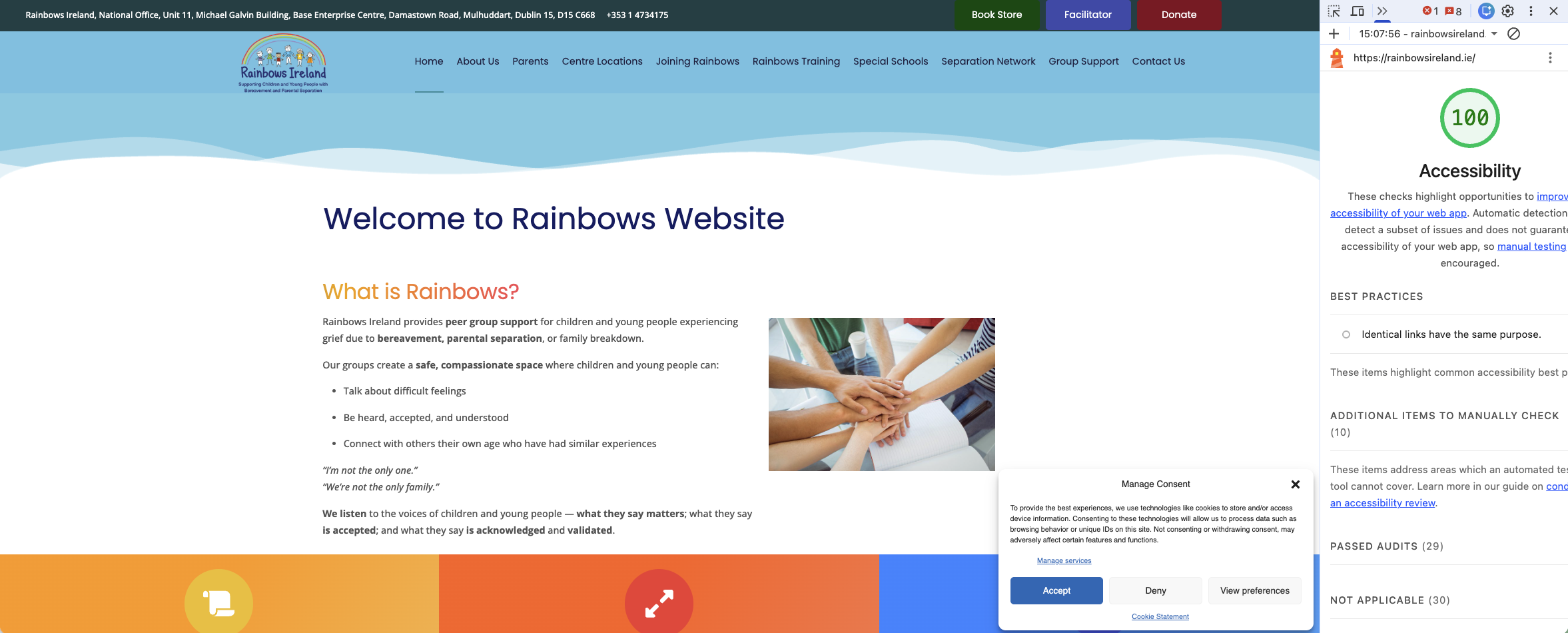
Figure 16: Final Lighthouse accessibility score of 100 after accessibility remediation had been completed.
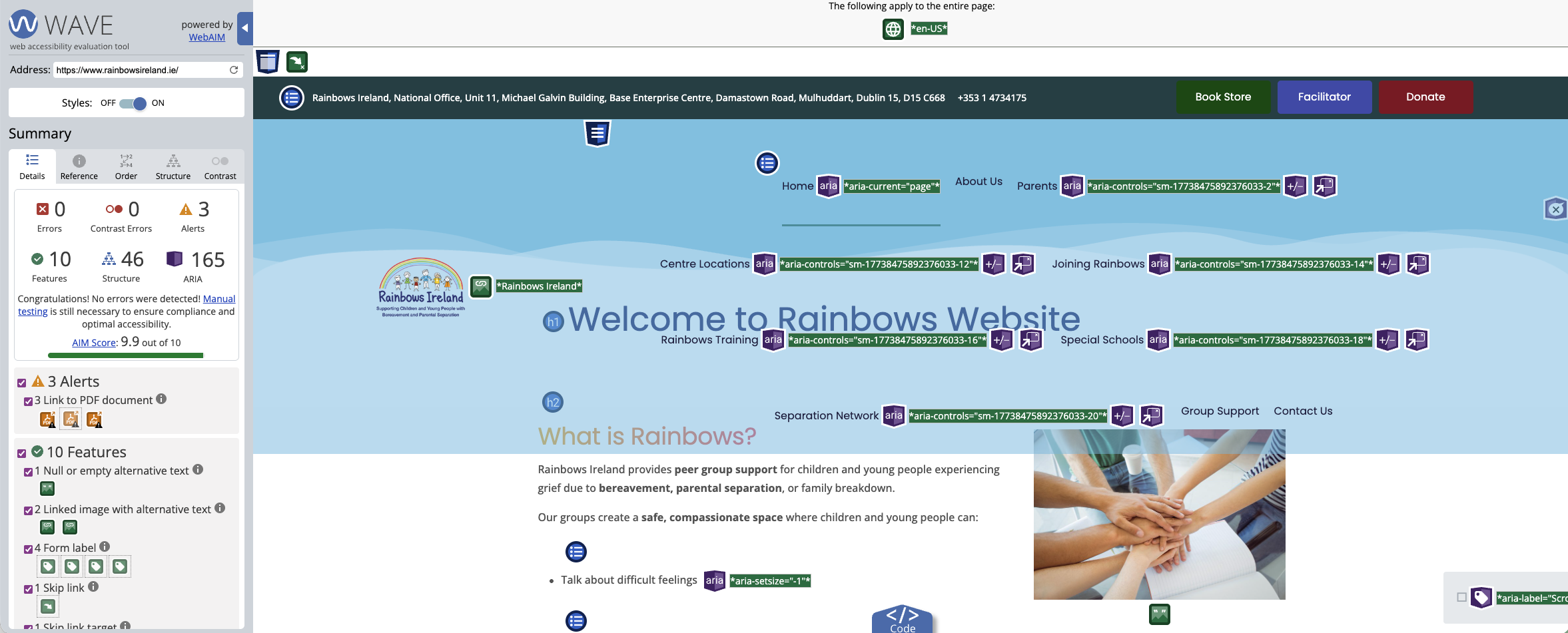
Figure 17: Final WAVE result showing a score of 9.9 out of 10 with the main homepage accessibility issues resolved.
Key Takeaways
- Accessibility issues are not always visible and may be caused by hidden or injected elements.
- Third-party plugins such as popup systems and cookie banners often introduce accessibility issues of their own.
- Elementor is not always the only source of styling. Theme-level overrides from Jupiter X can affect accessibility significantly.
- WAVE is a powerful tool, but it needs to be interpreted correctly. Understanding the DOM is just as important as understanding the design.
- High Lighthouse scores can still hide meaningful accessibility problems that require deeper investigation.
Summary
This stage of the Rainbows Ireland accessibility project was about much more than fixing colours. It involved tracing real accessibility problems through footer styling, hidden popups, plugin behaviour, cookie banner output, navigation states, and theme-generated markup.
By working through those issues methodically, the site moved from a respectable but imperfect starting point to a genuinely strong final result.
In the next article, we will look specifically at forms, labels, user interaction, and the accessibility issues that most often appear in hidden or dynamically loaded form content.