
WCAG Accessibility 7: Images, Alt Text & Media Accessibility
In the previous post, we focused on improving screen reader accessibility using semantic HTML and ARIA. In this post, we look at images and media, and how proper use of alt text improves accessibility for screen reader users. Read WCAG Accessibility 6: ARIA & Semantic HTML In this seventh post in our WCAG accessibility series, we focus on images and media — and how they can either support or block accessibility depending on how they are implemented. Images play an important role in communicating content, but without proper alternative text (alt text), they can become invisible to users who rely on screen readers. As part of our work on the Rainbows Ireland website, we reviewed all key images and media elements to ensure they meet WCAG 2.2 Level AA requirements.Why Alt Text Matters
Alt text provides a textual alternative to images. It is read aloud by screen readers, allowing visually impaired users to understand the purpose and meaning of an image. Without alt text, users may miss important content or context entirely.Types of Images and How to Handle Them
1. Informative Images
These images convey important content and must include meaningful alt text.<img src="child-support.jpg" alt="Child receiving support during a Rainbows session">
2. Decorative Images
Images that do not add meaningful content should use empty alt attributes.<img src="background-pattern.jpg" alt="">
3. Functional Images
Images used as links or buttons must describe their function.<img src="download-icon.svg" alt="Download application form">
Issues Identified on the Rainbows Website
During our audit, we identified several common issues:- Missing alt attributes on images
- Generic alt text such as “image” or file names
- Decorative images incorrectly read by screen readers
- Images used as links without descriptive text
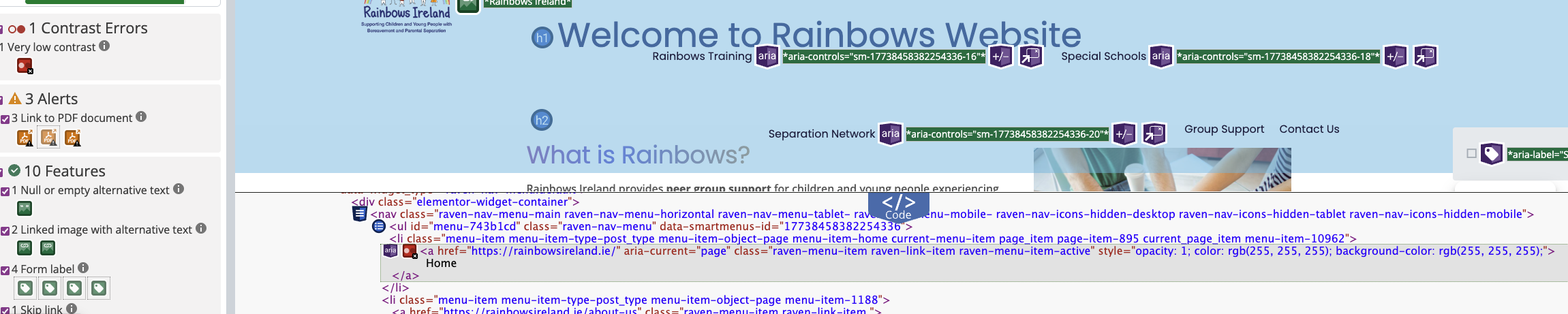 The image above highlights issues such as missing or poorly defined alt text identified during the accessibility review.
How We Fixed the Issues
1. Adding Meaningful Alt Text
We reviewed all key images and added descriptive alt text that reflects the purpose of each image within its context. We avoided unnecessary phrases such as “image of” or “picture of”, focusing instead on clear and concise descriptions.2. Removing Redundant Alt Text
Decorative images were updated with empty alt attributes to prevent unnecessary noise for screen reader users.3. Fixing Linked Images
Where images were used as links, we ensured that the alt text clearly describes the action or destination.4. Reviewing Background Images
CSS background images were reviewed to ensure that they do not contain critical information that would be inaccessible to screen readers.5. Improving Media Accessibility
Where applicable, we considered accessibility for other media types:- Ensuring videos include captions where necessary
- Avoiding auto-playing media
- Providing alternative formats where appropriate
Tools Used
- WAVE Accessibility Tool
- Browser developer tools
- Manual screen reader testing
Key Takeaways
- Alt text is essential for making images accessible
- Not all images require alt text — context matters
- Clear, concise descriptions improve usability
- Accessible media enhances the experience for all users